Trainual Review: Everything You Need to Know Before Buying
Trainual helps businesses document their processes, onboard new employees, and keep their entire team aligned with company knowledge. Over 10,000 teams use it, including companies like Ben & Jerry's and GoPro. But is it worth the price tag? We break down every feature and plan so you can decide.
Spratt Enterprise Editorial Team
Software reviewed and tested independently
Our Verdict
Trainual is the best platform we've seen for documenting business processes, onboarding employees, and keeping teams aligned. The AI-powered content creation is a huge time saver, and the role-based training paths make it easy to get new hires up to speed fast. The pricing is on the higher side for very small teams, but for businesses with 10+ employees, the time savings pay for itself.
Best for: Small to mid-size businesses (10-500 employees) that need structured onboarding, process documentation, and team training in one platform.
What Is Trainual?
Trainual is a cloud-based training and knowledge management platform founded in 2018 by Chris Ronzio. He built it because he was frustrated with how difficult it was to organize training materials for his own employees. The idea was simple: create one place where businesses can document every process, policy, and procedure, then use that knowledge to train and onboard their team.
Today, Trainual is used by over 10,000 teams across industries like technology, healthcare, real estate, construction, legal, and education. Their client list includes names like Ben & Jerry's, GoPro, and Hay House. The platform holds a 4.7 out of 5 rating on G2, which puts it among the highest-rated tools in the training and knowledge management category.
In this Trainual review, we cover every major feature, the updated 2026 pricing, and how it compares to alternatives so you can decide if it fits your business. If you are looking for more business tools, we review several options across different categories.
Key Features
AI-Powered Content Creation
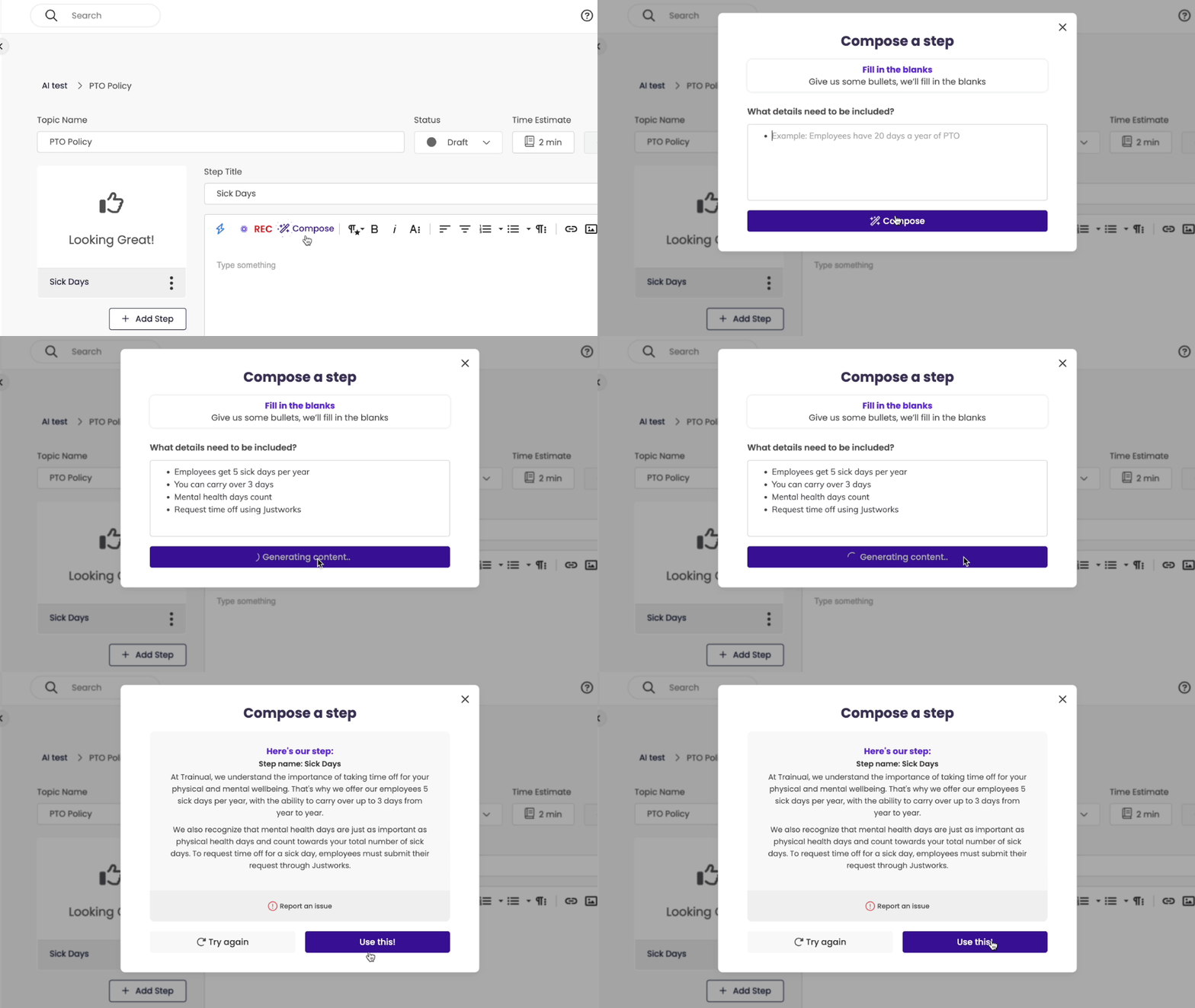
One of the biggest updates to Trainual is their AI content generation. You can take existing SOPs, processes, and policies and the AI will convert them into step-by-step training materials automatically. This saves hours of manual content creation. You can also start from scratch and let the AI build a first draft based on a description of what you need.
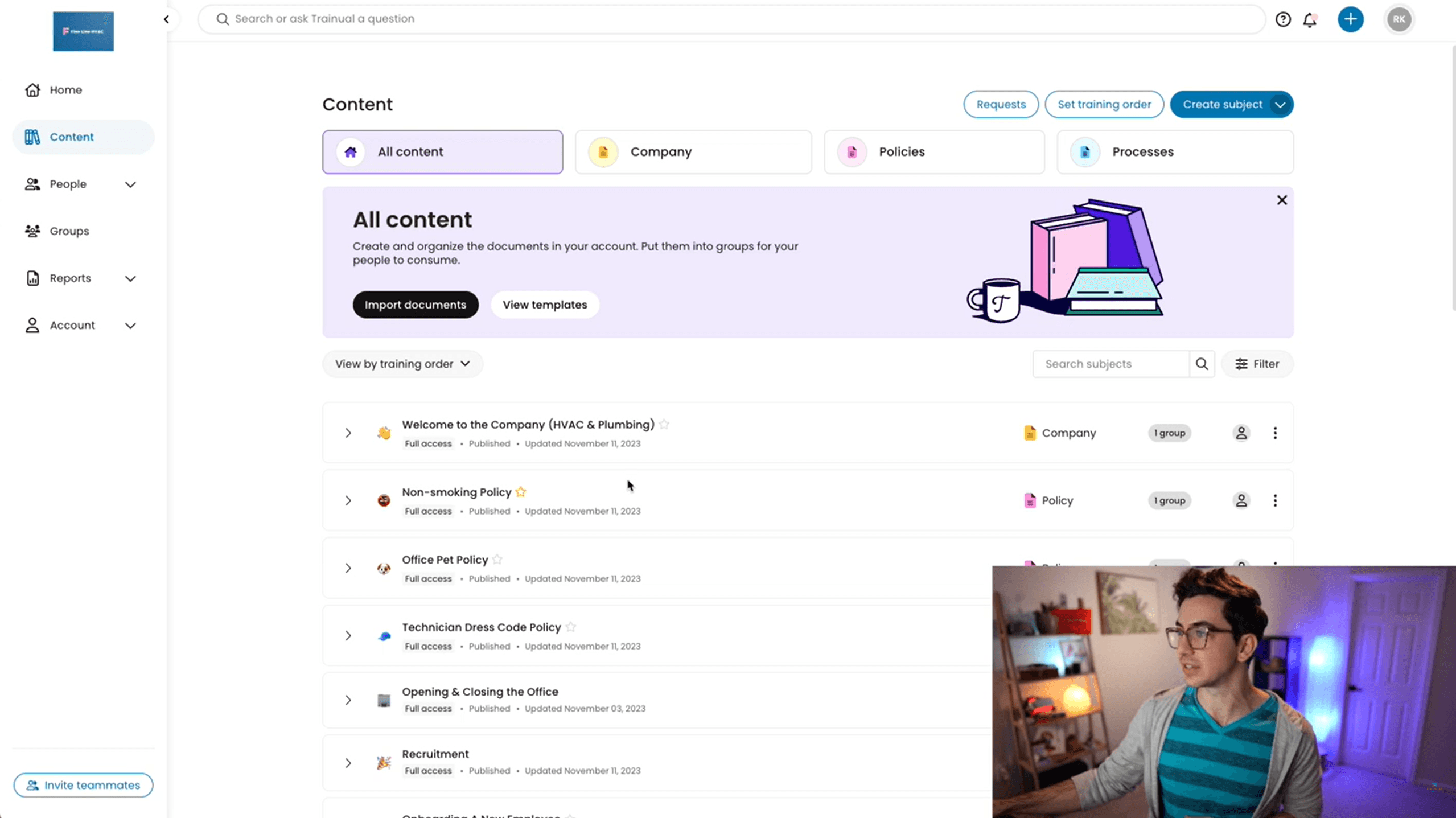
The platform includes over 500 pre-built templates across different industries. So whether you run a dental office, a construction company, or a SaaS startup, there are templates ready for you to customize.
Employee Onboarding
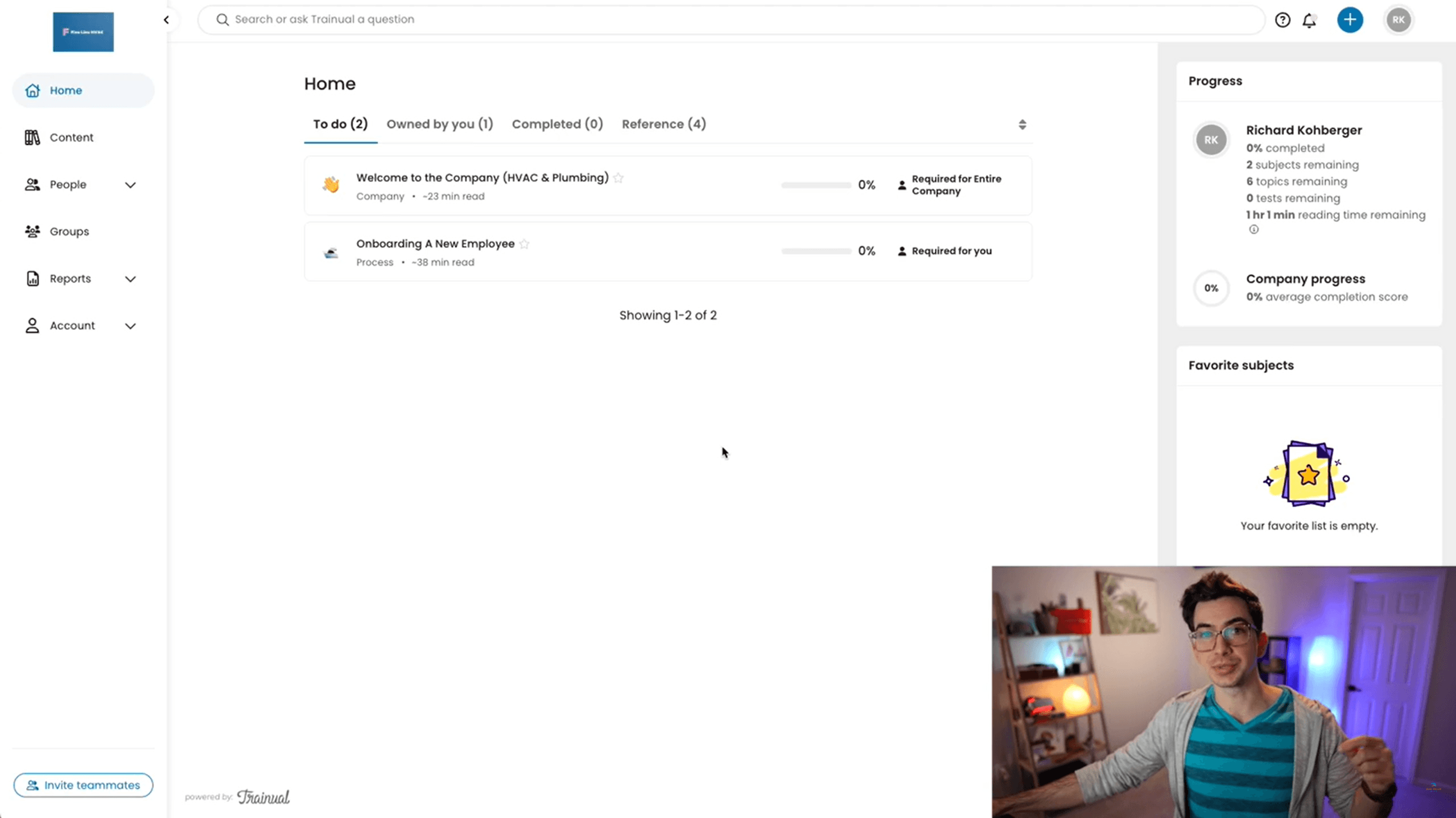
This is where most businesses start with Trainual. You can build interactive onboarding flows that walk new hires through your company culture, expectations, tools, and day-to-day procedures. Each employee gets a clear path of what they need to learn, and you can track their progress in real time.
The role-based training paths let you customize what each person sees based on their position, team, or location. A new sales rep sees different training than a new operations hire. This keeps onboarding relevant and efficient.
Process Documentation (Business Playbook)
Trainual calls itself a "business playbook" and that is an accurate description. You can document every process, policy, and procedure your company has. This includes things like how to handle customer complaints, how to close out the register, how to submit PTO requests, or how your marketing team runs campaigns.
The value here is consistency. When everything is documented in one place, you stop getting the same questions over and over. New employees can find answers themselves. And when someone leaves the company, their knowledge doesn't leave with them.
AI-Powered Search Assistant
Trainual has an AI assistant that turns your documented knowledge into a searchable, intelligent answering system. Employees can ask questions in natural language and get answers pulled directly from your company's content. This is like having an internal ChatGPT trained on your business.
Testing, Quizzes, and Tracking
You can add quizzes and assessments to any training material to test knowledge retention. This helps identify knowledge gaps and areas where employees might need more support. The tracking dashboard shows completion rates, progress by employee, and which content has been viewed.
Compliance and E-Signatures
For businesses that need compliance documentation, Trainual includes e-signature capabilities. Employees can acknowledge policies, and you have an audit-ready record of who signed what and when. This is especially valuable for healthcare, legal, and financial services companies.
Responsibility Mapping and Org Chart
The Pro plan includes an org chart and delegation planner that connects role ownership to specific procedures. Every person in the company can see exactly what they are responsible for and where to find the documentation for those responsibilities.
Integrations
Trainual integrates with common business tools including Slack, Zapier, BambooHR, Gusto, Loom, and more. The Enterprise plan also includes API access for custom integrations.

Who Is Trainual Best For?
- Growing businesses (10-500 employees) that need to standardize how they train and onboard people
- Franchise operations that need consistent training across multiple locations
- Operations leaders and HR teams who are tired of answering the same questions repeatedly
- Companies with high employee turnover that need to onboard people quickly and consistently
- Regulated industries (healthcare, legal, finance) that need compliance documentation and e-signatures
- Remote and hybrid teams that need a central knowledge base everyone can access from anywhere
Who Should Skip Trainual?
- Solo entrepreneurs or very small teams (under 5 people) where the pricing is hard to justify
- Businesses that only need a basic LMS for video courses and nothing else (a tool like TalentLMS may be cheaper)
- Companies that need heavy customization and white-labeling on the lower-tier plans
What We Like
- Extremely user-friendly, non-technical people can create content easily
- AI content generation saves hours of manual documentation work
- 500+ industry-specific templates to get started fast
- Role-based training paths keep onboarding relevant per position
- AI search assistant lets employees find answers instantly
- Built-in quizzes and assessments for knowledge retention tracking
- E-signature support for compliance-heavy industries
- 4.7/5 rating on G2 with strong user reviews
- Screen recording built into the platform
- Mobile app for training on the go
What Could Be Better
- Pricing starts high for very small businesses
- Limited customization options on the Core plan
- Occasional glitches and slow loading times reported by some users
- Analytics could be more detailed for measuring training effectiveness
- Does not integrate with every tool (check their integrations page)
- Video storage is limited to 15GB on Pro (unlimited on Premium)
Trainual Pricing
Trainual recently restructured their pricing into four plans. They no longer publicly list exact dollar amounts on the website for all plans, but based on our research, here is what to expect:
| Feature | Core | Pro | Premium | Enterprise |
|---|---|---|---|---|
| Best For | Documentation & basic training | Accountability & structured training | Customization & compliance | Large orgs & scalability |
| AI Documentation | Unlimited | Unlimited | Unlimited | Unlimited |
| Templates | 500+ | 500+ | 500+ | 500+ |
| Training Paths | No | Yes (individual) | Yes | Yes |
| E-Signatures | No | 300/year | Unlimited | Unlimited |
| Org Chart | No | Yes | Yes | Yes |
| Video Storage | Basic | 15GB | Unlimited | Unlimited |
| Version History | 30 days | 90 days | Unlimited | Unlimited |
| Custom Branding / SSO | No | No | Yes | Yes |
| API Access | No | No | No | Yes |
| Support | Chat & email | Customer Success Manager | CSM | Priority + quarterly reviews |
The Pro plan is the most popular and is the best fit for most businesses. It adds individual training paths, the org chart, e-signatures, and a dedicated Customer Success Manager. The Core plan works if you just need basic documentation and training without the accountability features.
For exact pricing, Trainual asks you to contact their team or start a free trial. Based on publicly available information, plans historically started around $299/month for small teams and scale up based on employee count. They also offer an optional add-on of 400+ HR and compliance courses for an additional fee.
Trainual vs Competitors
How does Trainual compare to other training and knowledge management platforms?
| Feature | Trainual | Lessonly | TalentLMS | Process Street |
|---|---|---|---|---|
| Best For | Full business playbook | Sales/CS training | Course-based LMS | Workflow checklists |
| Process Documentation | Excellent | Limited | Limited | Good |
| Employee Onboarding | Excellent | Good | Good | Basic |
| AI Content Creation | Yes | No | No | Limited |
| Quizzes/Assessments | Yes | Yes | Yes | No |
| Ease of Use | Very easy | Easy | Easy | Moderate |
| G2 Rating | 4.7/5 | 4.7/5 | 4.6/5 | 4.6/5 |
Ready to try Trainual?
Start with a free trial. See how Trainual can streamline your onboarding and training process.
Frequently Asked Questions
Is Trainual free?
Trainual offers a free trial so you can test the platform before committing. After the trial, paid plans start based on your team size. There is no permanent free plan.
How much does Trainual cost?
Trainual offers four plans: Core, Pro, Premium, and Enterprise. Pricing is based on team size and scales as your company grows. Historically, plans have started around $299/month for teams of 1-25 employees. Contact Trainual for current pricing.
Is Trainual good for small businesses?
Yes, if you have at least 10 employees. Trainual was built specifically for small to mid-size businesses. The platform is easy to use without technical skills, and the templates get you started quickly. For very small teams (under 5), the price may be hard to justify.
What is Trainual used for?
Trainual is used for employee onboarding, process documentation, team training, compliance management, and creating a central knowledge base for your business. It is essentially a digital business playbook.
Is Trainual better than Lessonly?
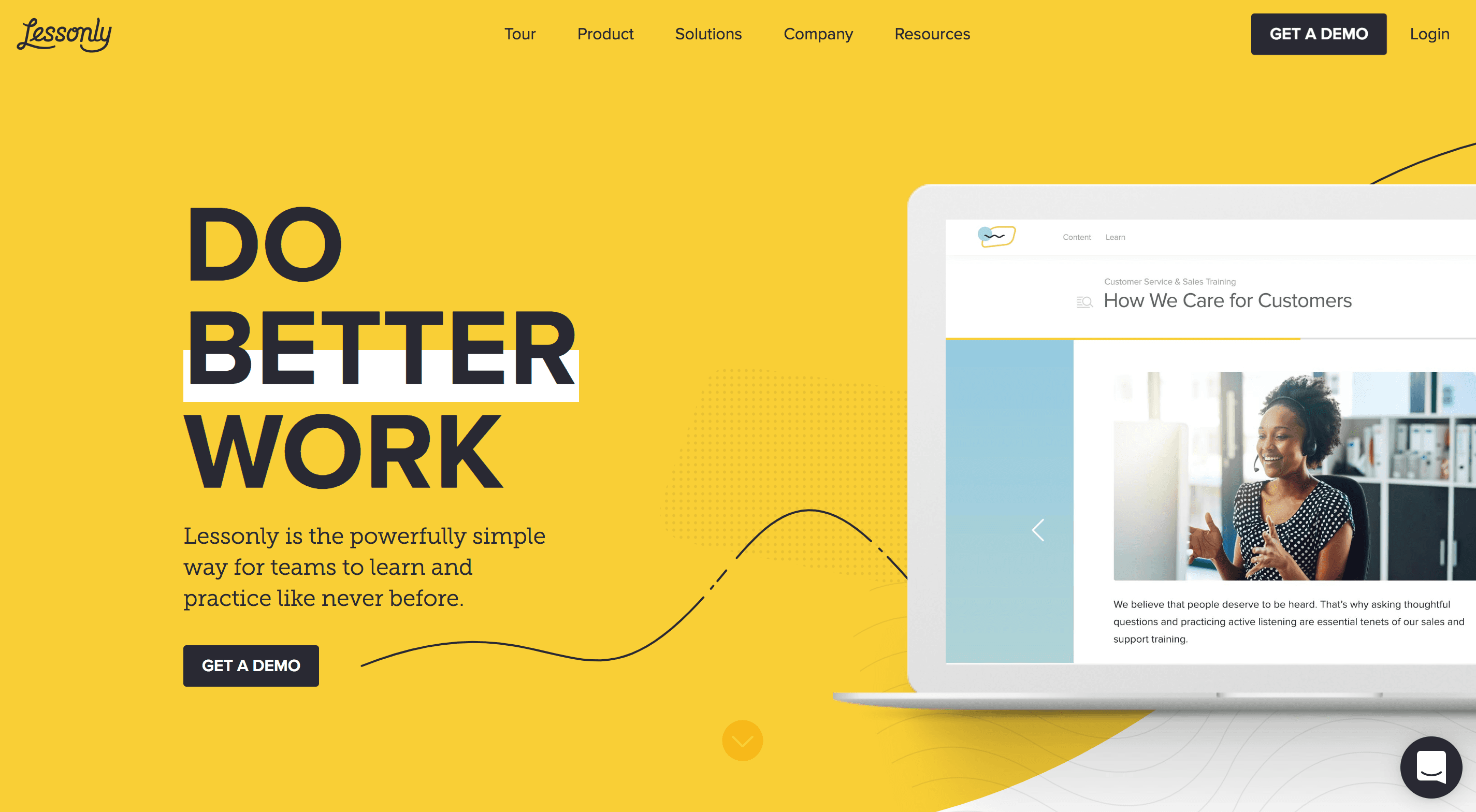
For process documentation and full business playbook functionality, Trainual is better. Lessonly (now Seismic Learning) is more focused on sales and customer service team training. If you need a complete system for onboarding and documenting how your entire business runs, Trainual is the stronger choice.
Does Trainual have an app?
Yes. Trainual has a mobile app that lets employees access training materials, complete courses, and search the knowledge base from their phone.
Can Trainual replace an LMS?
For most small to mid-size businesses, yes. Trainual covers onboarding, training content, quizzes, progress tracking, and compliance documentation. If you need advanced features like SCORM course hosting or certificate management, the Premium plan adds SCORM storage. For enterprise-grade LMS needs, a dedicated platform like TalentLMS may be a better fit.
How long does it take to set up Trainual?
Most businesses can get started within a day using Trainual's 500+ templates and AI content generation. A full company playbook with all processes documented typically takes 2 to 4 weeks depending on company size. The Pro and Premium plans include a dedicated Customer Success Manager who helps with setup.
How We Reviewed Trainual
We evaluated Trainual based on ease of use, feature depth, pricing value, onboarding capabilities, AI tools, integrations, and how it compares to direct competitors. Our assessment includes hands-on testing of the platform, analysis of public user reviews on G2 and Capterra, and research into recent feature updates and pricing changes.
Our Verdict
Trainual is the best platform we've tested for documenting business processes and onboarding employees. The AI content creation, role-based training paths, and searchable knowledge base make it a complete solution for growing teams. The pricing is fair for what you get, especially on the Pro plan.
Best for: Growing businesses with 10-500 employees that want to standardize training, onboarding, and company knowledge in one platform.