 Softr
SoftrSoftr Review: Build Custom Business Apps Without Writing Code
Softr lets you turn your Airtable, Google Sheets, or database into a fully functional web application without writing a single line of code. Client portals, internal tools, HR dashboards, CRMs, membership sites, and more. We tested every feature to see if it can actually replace hiring a developer.
Spratt Enterprise Editorial Team
Software reviewed and tested independently
Our Verdict
Softr is the fastest way to build a functional business application on top of your existing data. If your data lives in Airtable or Google Sheets and you need a professional front end for your team or clients, Softr gets you there in hours instead of months. The user group and visibility system is powerful for building role-based access. The main limitation is app user counts on lower plans.
Best for: Teams and agencies that need internal tools, client portals, HR dashboards, or membership sites built on top of Airtable, Google Sheets, or other databases without hiring a developer.
What Is Softr?
Softr is a no-code application builder that turns your existing data sources into fully functional web applications. You connect your Airtable base, Google Sheet, Notion database, or even Softr's own built-in database, and Softr generates an application with pages, user authentication, and dynamic content pulled directly from your data.
The core value proposition is speed. What would normally require a developer, a database, user authentication, and weeks of development can be set up in Softr within the same day. You drag and drop building blocks (list views, grid views, forms, charts, calendars, Kanban boards) onto pages and connect them to your data source. No coding required.
Softr is used for internal tools (HR dashboards, project trackers, inventory systems), client portals (where clients log in to see their own data), membership sites, and even lightweight CRMs. In this Softr review, we cover every major feature, the pricing structure, and how it compares to alternatives. For more tools, check our business tools reviews.
Key Features
Data Source Flexibility
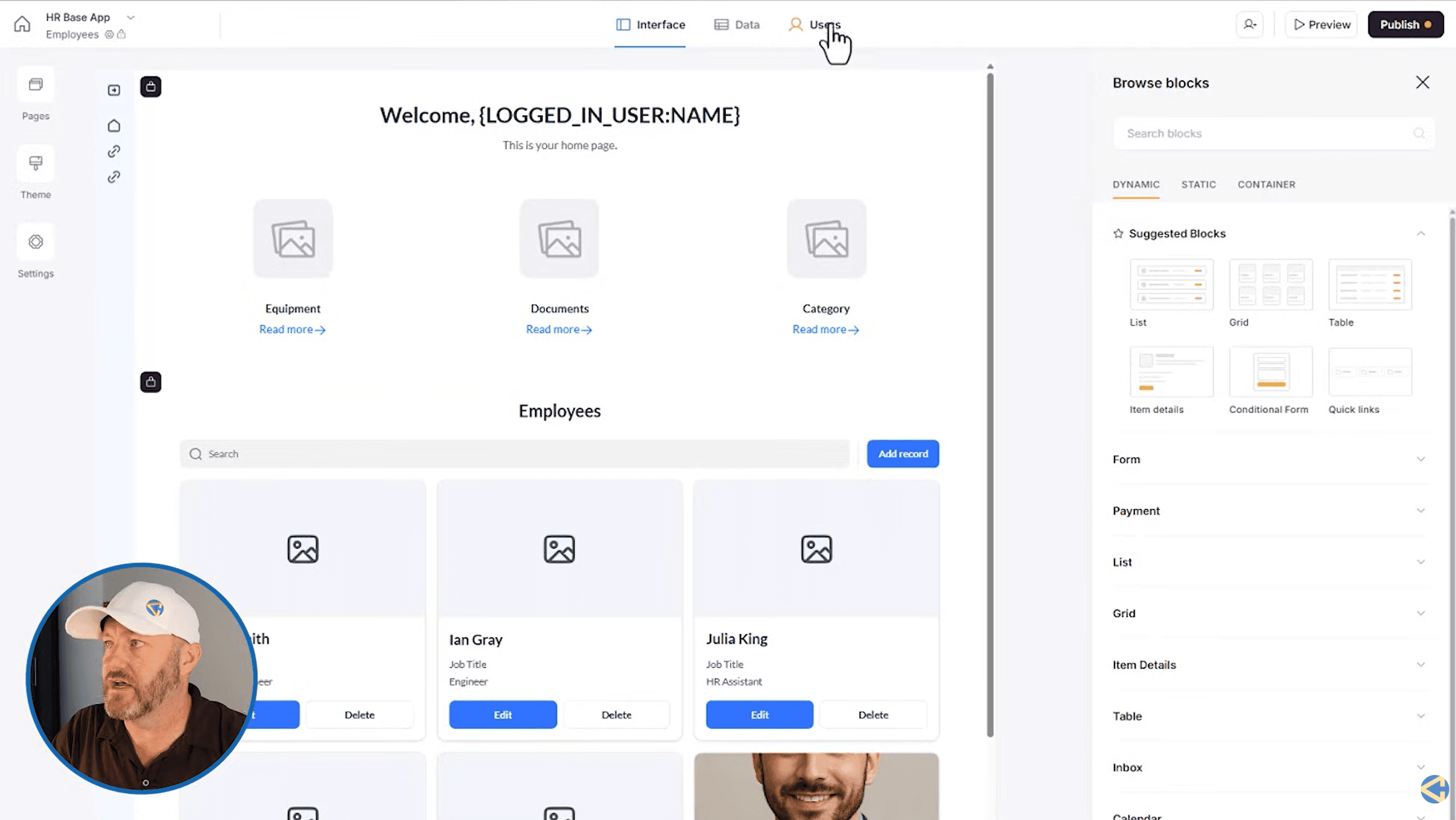
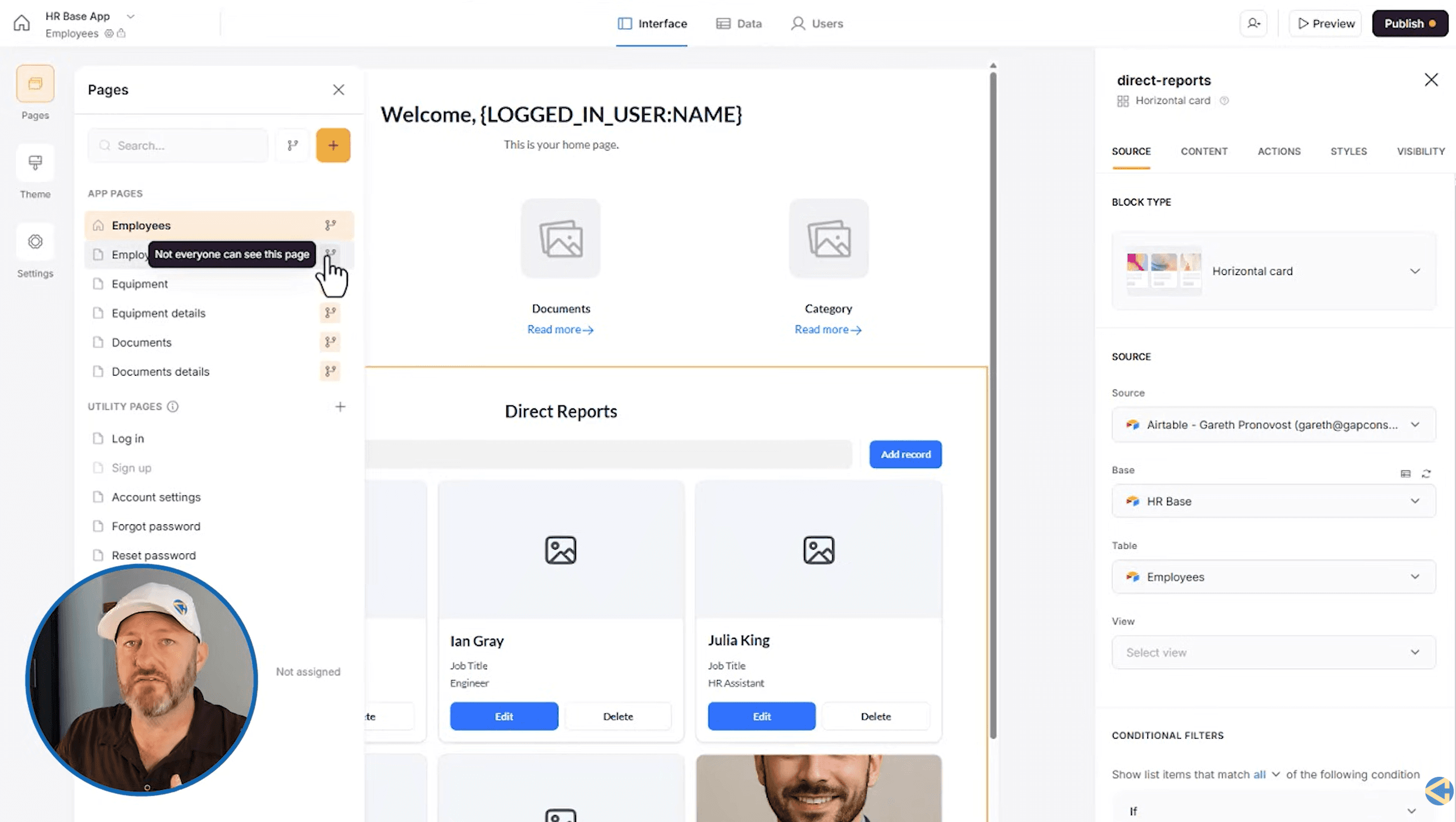
Softr connects to multiple data sources including Airtable, Google Sheets, Notion, Coda, SmartSuite, PostgreSQL, and their own Softr Database. The REST API integration (currently in beta) means you can pull data from virtually any system. This flexibility is a significant advantage over competitors that only work with one data source.
If you do not already have your data in another tool, Softr's built-in database lets you store up to 1 million records on the Business plan without needing an external data source at all.
User Authentication and User Groups
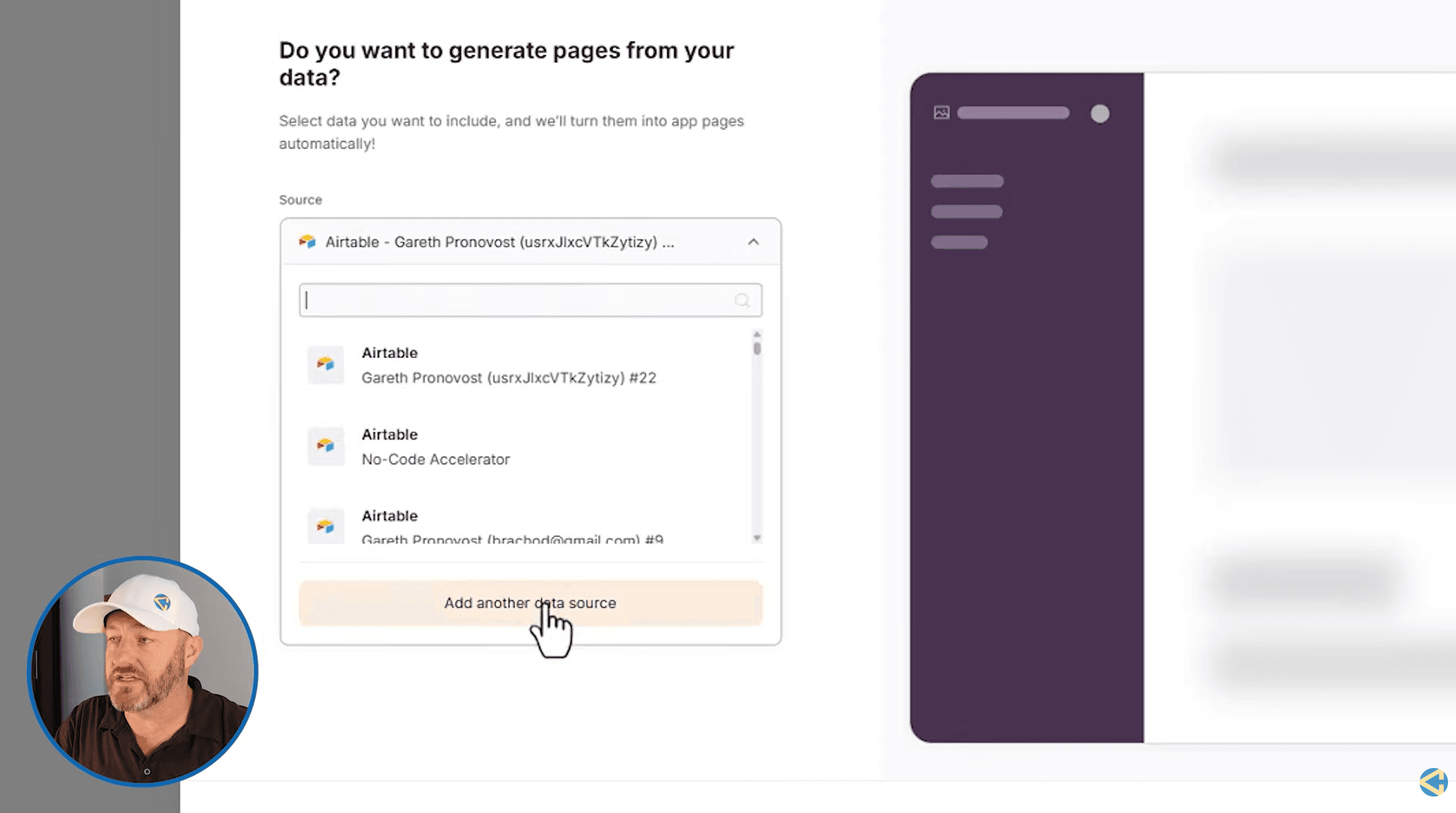
This is where Softr stands out from simple website builders. You can set up user login, map users to records in your database, and create user groups with different access levels. Each user group can see different pages, different data, and interact with different features.
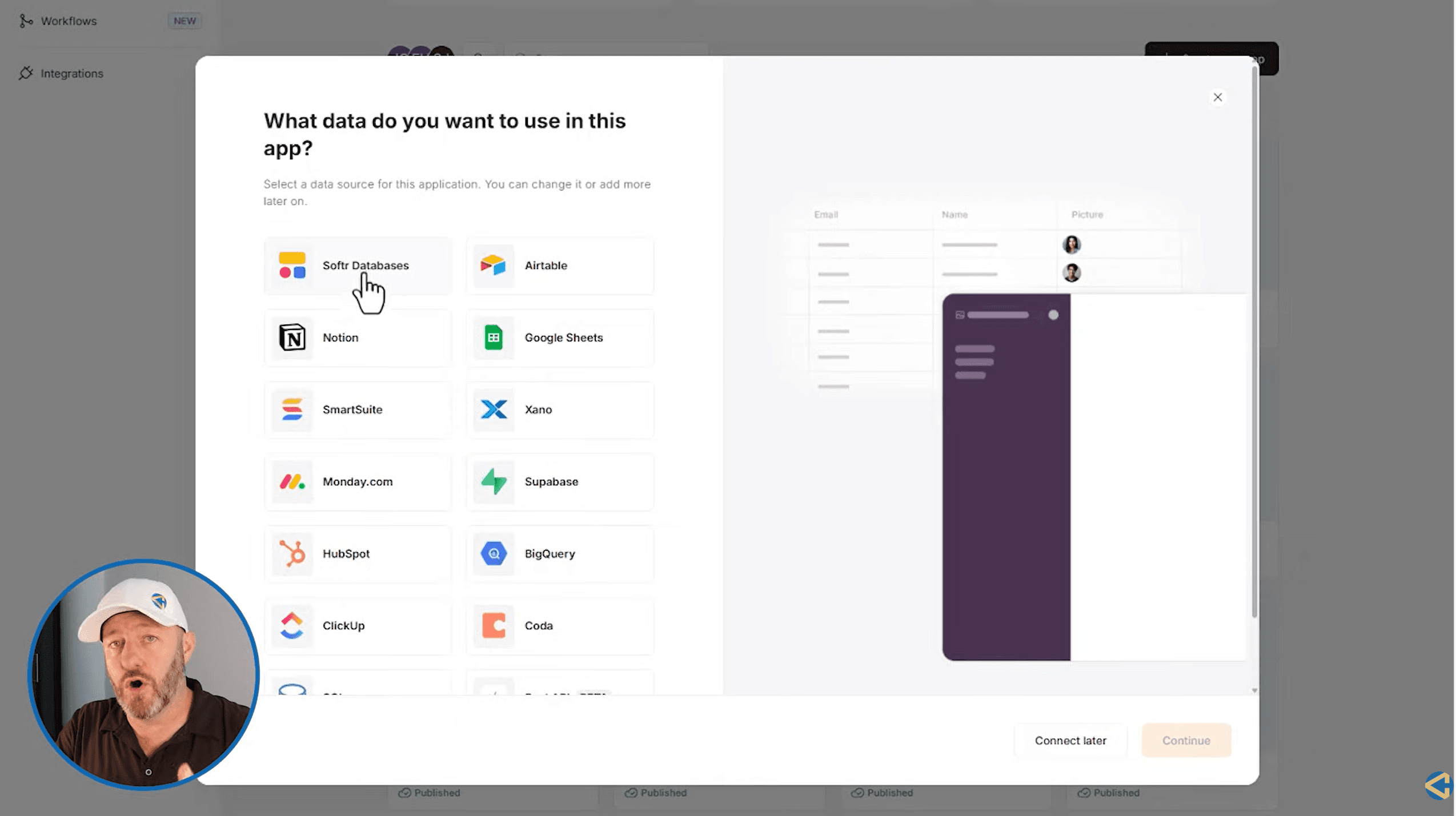
For example, in an HR portal, regular employees might only see their own information. Managers see their direct reports. Admins see everything. Softr handles all of this through conditional visibility rules and user group settings. You define the groups based on conditions in your data (like whether someone has a "manager" link in their record), and Softr automatically assigns users to the right group.
Building Blocks
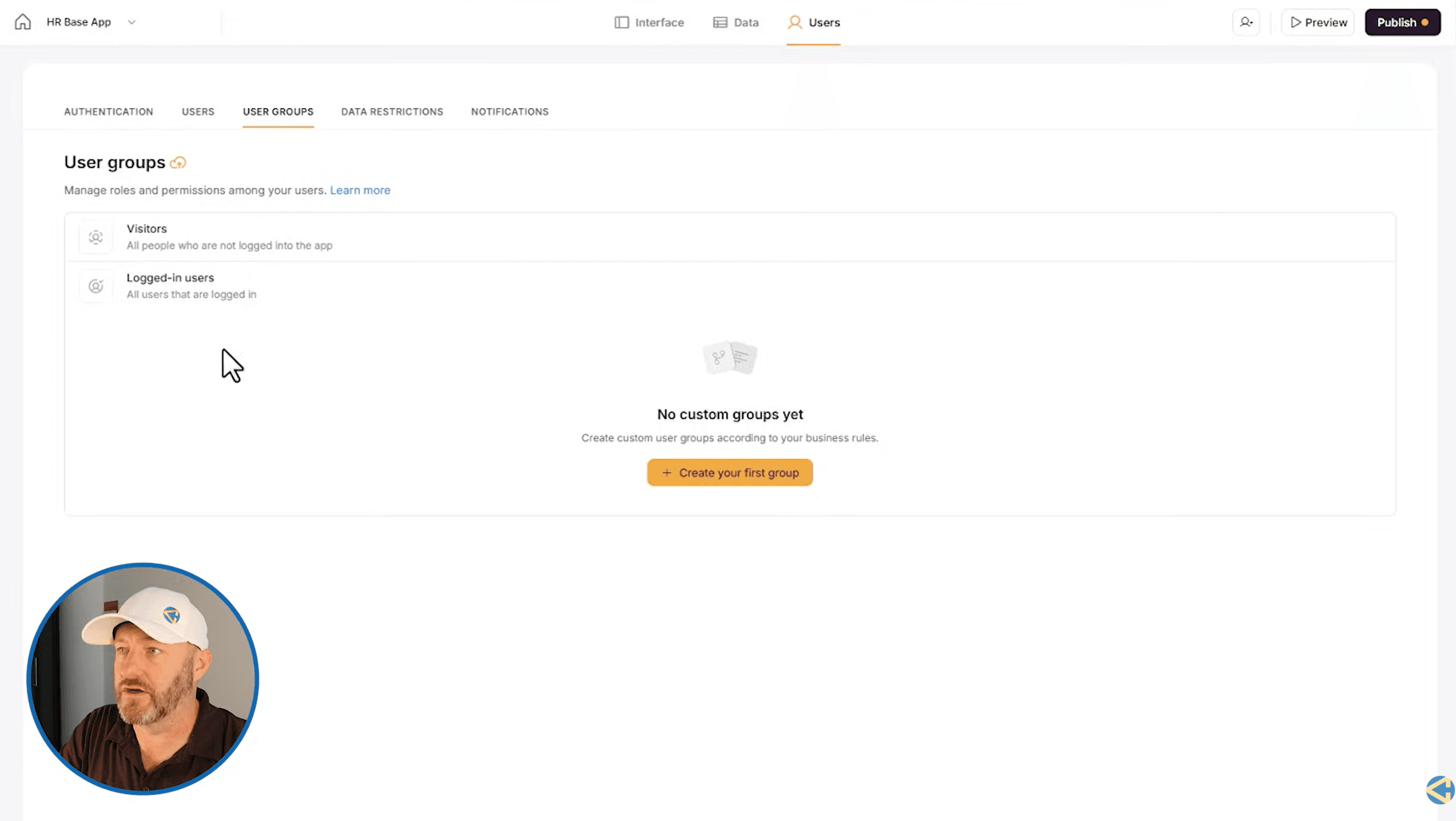
Softr's interface is built around blocks that you drag onto pages. These come in two categories:
- Dynamic blocks pull live data from your connected source: list views, grid views, table views, item details, forms, charts, calendars, Kanban boards, and quick links
- Static blocks display fixed content: hero sections, calls to action, galleries, pricing cards, team displays, and text sections
You can combine both in container layouts (single, two-column, three-column) for full design flexibility. Every block can have visibility rules attached so it only shows to specific user groups.
Conditional Filtering
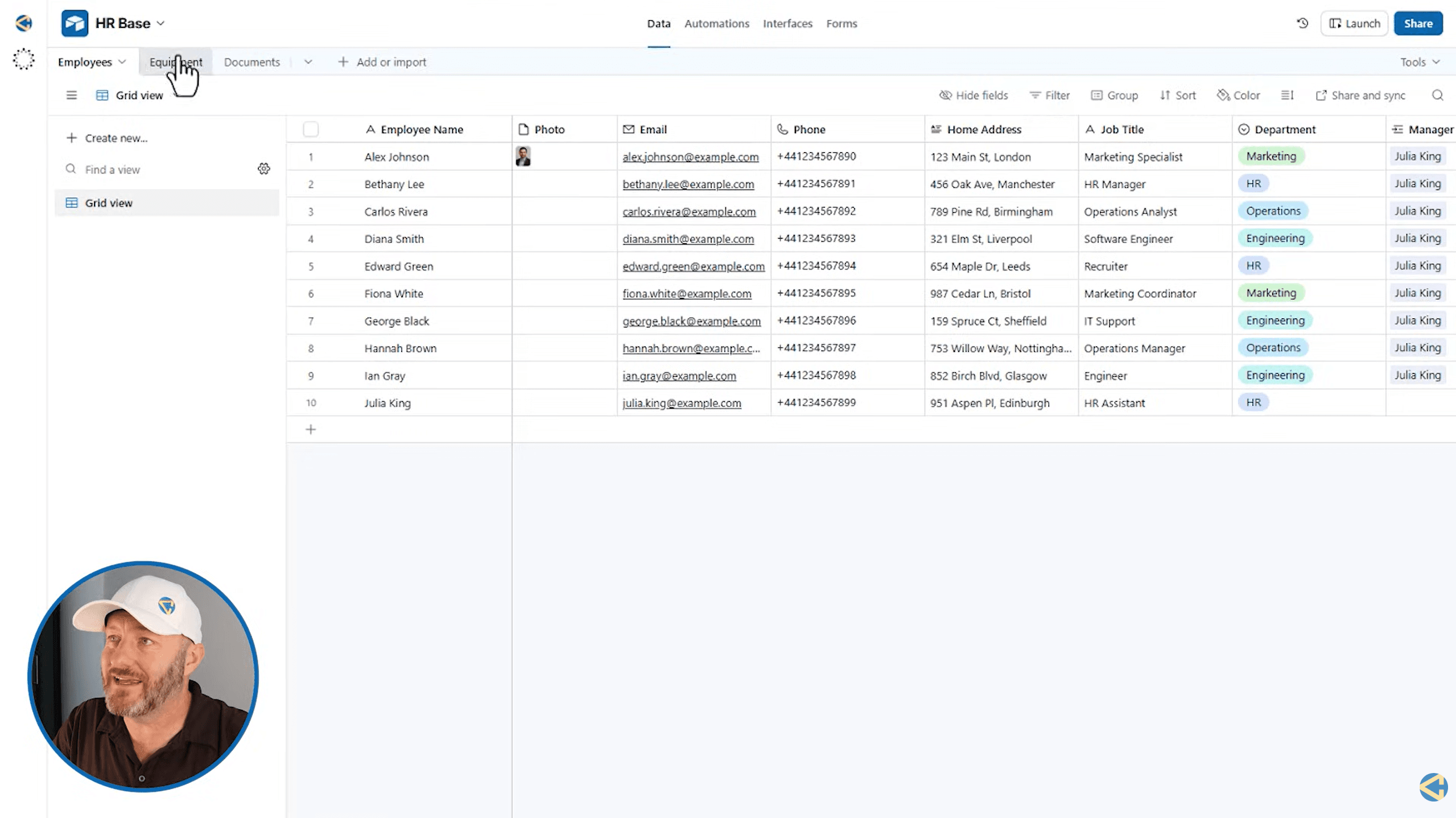
This is the feature that makes Softr applications feel like real software rather than glorified spreadsheet viewers. You can set up conditional filters on any dynamic block so that users only see data relevant to them. A manager sees their direct reports. A client sees their own projects. A student sees their enrolled courses.
Filters use the logged-in user's information (like their record ID) to match against related records in your data source. This creates personalized experiences without any code.
Workflows and Automations
Softr added a workflow builder that lets you create automated processes triggered by events in your data. Triggers can come from Airtable, Gmail, Google Sheets, Softr applications, or Softr databases. Actions include sending emails via Postmark, connecting to OpenAI, creating Google Calendar events, webhooks, and scheduled or recurring tasks.
This is a relatively new feature and brings Softr closer to being a complete application platform rather than just a front end builder. Workflow action limits depend on your plan (500 on Free, up to 25,000 on Business).
AI-Assisted Building
Softr includes AI tools that help you build your application faster. You can describe what you want and the AI assists in generating pages and layouts. AI credits are included in every plan (5 on Free, up to 100 on Business). The AI also powers features within your applications, letting end users interact with AI-driven components.
Softr Database
If you do not want to use an external data source, Softr now has its own built-in database. You can store records directly in Softr (up to 1 million on the Business plan) and build your entire application without needing Airtable or any other tool. This simplifies the stack for teams that do not already have their data elsewhere.
How Teams Use Softr
- Client portals: Agencies and service businesses build portals where clients log in to see project status, shared files, invoices, and communication
- Internal HR tools: Companies build employee directories, onboarding portals, equipment tracking, and document management systems. For dedicated training tools, check our Trainual review
- Membership sites: Course creators and communities build member-only areas with gated content, user profiles, and access levels
- Lightweight CRMs: Small teams build custom CRMs tailored to their workflow instead of paying for enterprise CRM software. For a full CRM, see our Keap review
- Project management dashboards: Teams build custom project trackers with Kanban views, calendars, and status filters on top of their existing Airtable or Google Sheets data
- Inventory and operations tools: Businesses track inventory, equipment, orders, and logistics through custom Softr applications
Who Is Softr Best For?
- Airtable power users who need a professional front end for their data
- Agencies building client portals and internal tools for their customers
- Non-technical teams that need custom software but do not have developers
- Small to mid-size businesses that need internal tools without enterprise software prices
- Course creators and communities building membership sites with gated content
Who Should Skip Softr?
- Teams building highly complex applications with custom logic that requires real code (Bubble or custom development is better for that)
- Businesses with 500+ app users who need unlimited scaling (the user limits on lower plans can be restrictive)
- Teams that need native mobile apps (Softr builds responsive web apps, not native iOS/Android apps)
What We Like
- Fastest way to build a web app on top of Airtable or Google Sheets
- User groups and visibility rules create real role-based access control
- Conditional filtering makes data personalized per user
- Multiple data source support (Airtable, Sheets, Notion, PostgreSQL, REST API)
- Built-in Softr Database eliminates the need for external data sources
- Workflow automations with triggers from multiple platforms
- AI-assisted app building speeds up development
- Free plan available to test and prototype
- No coding required for professional-looking applications
- Pre-built templates for common use cases
What Could Be Better
- App user limits on lower plans are the biggest constraint
- Pricing scales up quickly as you add more users
- Workflow action limits can be restrictive for heavy automation
- No native mobile app output (responsive web only)
- Advanced features like charts and Kanban require Professional plan
- REST API integration is still in beta
- Design customization has limits compared to fully custom development
Softr Pricing
Softr has a free plan and four paid tiers. The biggest factor in choosing a plan is the number of app users you need.
Basic
- 20 app users
- 50,000 database records
- 2,500 workflow actions/month
- 10 AI credits/month
- Custom domain
- Airtable, Google Sheets, Coda
Professional
- 100 app users
- 500,000 database records
- 10,000 workflow actions/month
- 50 AI credits/month
- 3 custom user groups
- Charts, Calendar, Kanban blocks
- Advanced visibility settings
Business
- 500 app users
- 1 million database records
- 25,000 workflow actions/month
- 100 AI credits/month
- Unlimited user groups
- IP blocking and security
- REST API and webhooks
The free plan supports 10 app users and 5,000 database records. It is useful for prototyping and testing but too limited for production use. The Enterprise plan adds SSO, SOC2 reporting, and a dedicated success manager for large organizations.
Is Softr Worth the Price?
A custom-built web application with user authentication, database integration, and role-based access typically costs $10,000-50,000+ to develop and months to build. Softr's Professional plan at $139/month gets you the same result in days. For businesses that need custom internal tools or client portals, the ROI is obvious.
Where the pricing becomes a factor is user counts. If you have 200+ app users, you are looking at the Business plan at $269/month. At 500+ users, you need Enterprise (custom pricing). For very large user bases, evaluate whether the cost per user still makes sense compared to custom development.
Softr vs Glide: Which No-Code Builder Should You Use?
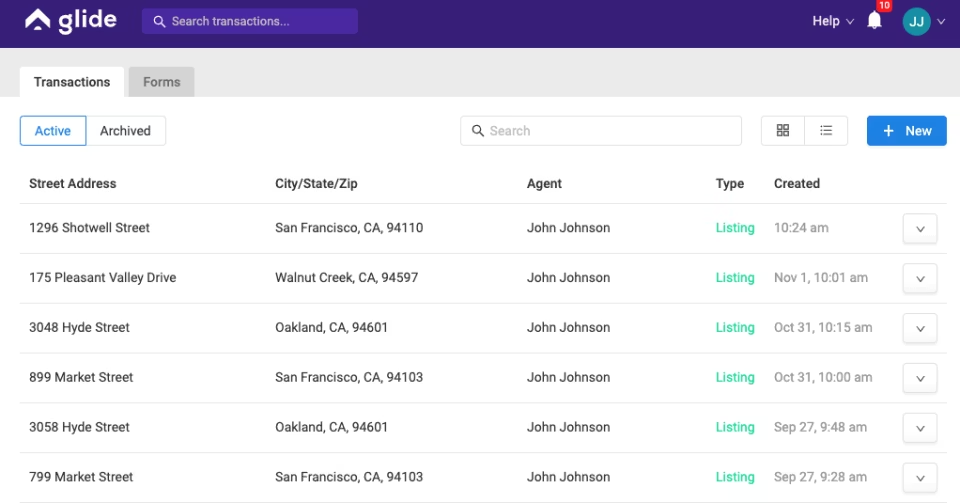
Glide is the most common alternative to Softr, especially for teams using Google Sheets. The key difference: Glide is better for building mobile-first apps (it was originally a mobile app builder). Softr is better for building desktop-first web applications with complex user roles and permissions.
If your primary use case is a client portal, internal dashboard, or membership site that users access from a desktop browser, Softr is the stronger choice. If you need something that feels more like a native mobile app, Glide is worth evaluating.
Softr vs Bubble: Complexity vs Speed
Bubble is the most powerful no-code builder but also the most complex. It has its own database, custom logic, API workflows, and can build applications that rival fully coded software. The tradeoff is a steep learning curve that takes weeks to months to master.
Softr takes the opposite approach. It connects to your existing data and gives you a professional front end in hours. You trade Bubble's unlimited customization for Softr's speed and simplicity. For internal tools, client portals, and dashboards, Softr is the smarter choice. For complex consumer-facing apps with custom logic, Bubble is the better platform.
Softr vs Bubble vs Glide vs Stacker: Full Comparison
| Feature | Softr | Bubble | Glide | Stacker |
|---|---|---|---|---|
| Best For | Portals and internal tools | Complex custom apps | Mobile-first apps | Airtable front ends |
| Learning Curve | Low (hours) | High (weeks) | Low (hours) | Low (hours) |
| Data Sources | 7+ (Airtable, Sheets, Notion, PostgreSQL, API) | Built-in + API | Sheets, Airtable, SQL | Airtable only |
| User Roles/Groups | Advanced (condition-based) | Full custom | Basic roles | Good |
| Workflows/Automations | Built-in | Built-in (advanced) | Limited | Via Zapier |
| Native Mobile App | No (responsive web) | Yes | Yes | No |
| Free Plan | Yes (10 users) | Yes (limited) | Yes | No |
| Starting Price | $49/month | $32/month | $60/month | $59/month |
Ready to build with Softr?
Start with the free plan. Connect your Airtable or Google Sheets and build your first app today.
Frequently Asked Questions
Is Softr free?
Yes. Softr has a free plan with 10 app users, 5,000 database records, and 500 workflow actions. It is enough to prototype and test but limited for production use.
Does Softr work with Airtable?
Yes. Airtable is one of Softr's primary data sources. You connect your Airtable base and Softr automatically generates pages from your tables. Data flows both ways so changes in Softr update Airtable and vice versa.
Can I build a client portal with Softr?
Yes. Client portals are one of the most common Softr use cases. You set up user authentication, create conditional filters so each client only sees their own data, and build pages with relevant information like project status, documents, and invoices.
Is Softr better than Bubble?
They serve different needs. Softr is faster to learn and better for building portals, dashboards, and internal tools on top of existing data. Bubble is more powerful for building complex, fully custom web applications but has a much steeper learning curve. If you need something up and running quickly, Softr wins. If you need deep customization, Bubble wins.
Is Softr better than Glide?
Softr is better for desktop-first web applications with complex user roles and permissions. Glide is better for mobile-first apps. If your users primarily access the app from a browser on a computer, Softr is the stronger choice.
Does Softr require coding?
No. Softr is a no-code platform. You build applications by dragging and dropping blocks onto pages and connecting them to your data source. Custom code is optional and available on higher plans for advanced customization.
What data sources does Softr support?
Softr supports Airtable, Google Sheets, Notion, Coda, SmartSuite, PostgreSQL, its own Softr Database, and REST API (beta). The number of available data sources increases on higher plans.
Can Softr build mobile apps?
Softr builds responsive web applications that work on mobile browsers. It does not build native iOS or Android apps. If you need a native mobile app, Glide or Bubble are better options.
What are user groups in Softr?
User groups let you define different access levels based on conditions in your data. For example, employees see one view, managers see another, and admins see everything. You define the conditions (like whether someone has people reporting to them) and Softr automatically assigns users to groups.
How many app users can I have on Softr?
The free plan supports 10 users. Basic supports 20, Professional supports 100, and Business supports 500. Enterprise offers custom user limits. App user count is typically the biggest factor in choosing a plan.
Is Softr a good Airtable front-end builder?
Softr is one of the best front-end builders for Airtable. It connects directly to your Airtable base, generates pages from your tables, supports two-way data sync, and adds user authentication and role-based access that Airtable interfaces alone cannot provide.
Can I use Softr for HR and employee onboarding?
Yes. HR portals are a common Softr use case. You can build employee directories, onboarding checklists, document management, equipment tracking, and role-based dashboards where managers see their direct reports and employees see only their own information. For a dedicated training platform, see our Trainual review.
Can I migrate from another no-code tool to Softr?
If your data already lives in Airtable, Google Sheets, or Notion, migration is straightforward since Softr connects to those sources directly. You are essentially building a new front end on top of your existing data rather than migrating the data itself.
Does Softr have workflow automation?
Yes. Softr has a built-in workflow builder with triggers from Airtable, Gmail, Google Sheets, and Softr apps. Actions include sending emails, connecting to OpenAI, Google Calendar events, webhooks, and scheduled tasks. Action limits range from 500 (Free) to 25,000 (Business) per month.
What Builders Are Saying
"We replaced a $40K custom portal with a Softr app built in two days. Our clients love it and we saved months of development time."
Agency owner, via G2
"Great for Airtable front ends. The user group system is powerful. Only limitation is the app user caps on lower plans."
Operations lead, via Trustpilot
How We Reviewed Softr
We evaluated Softr based on ease of use, data source flexibility, user management capabilities, building block variety, workflow automation, pricing value, and how it compares to direct competitors. Our assessment includes hands-on app building, analysis of user reviews on G2 and Trustpilot, and research into current features and pricing.
Our Verdict
Softr is the best no-code app builder for teams that need to turn their existing data into a professional application quickly. The user group system, conditional filtering, and multi-data-source support make it more capable than most competitors for building role-based portals and internal tools. The app user limits on lower plans are the main constraint to watch.
Best for: Teams building client portals, internal tools, HR dashboards, or membership sites on top of Airtable, Google Sheets, or any database without writing code.